
Accessify

Answers that know your site.

Clara reads your open record and links to the fix.

  • Included on every paid plan
  • Cites the criterion it relies on
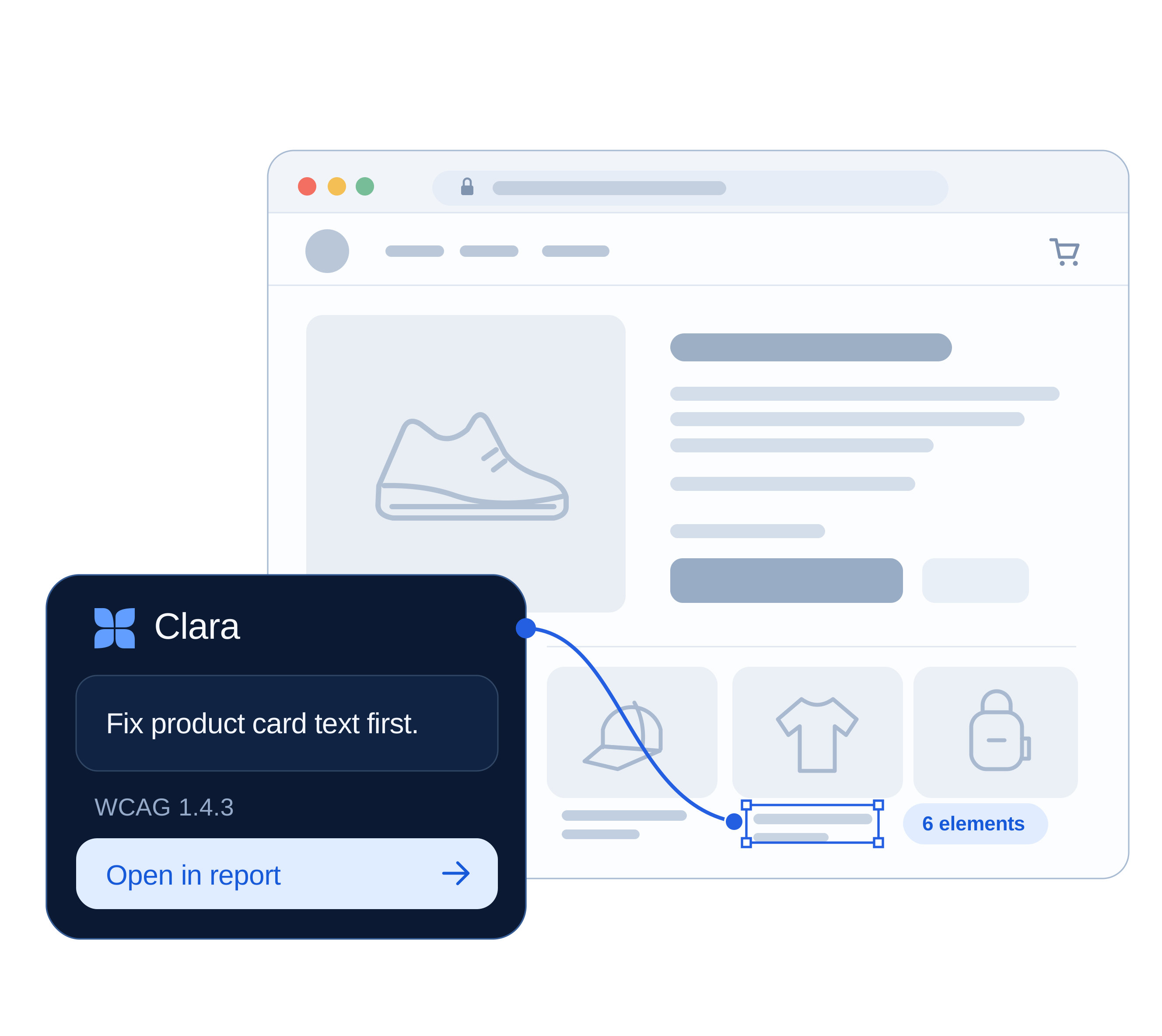
Clara highlights low-contrast text in a product card and recommends a fix with a link to the report.

What “contextual” means here.

See the criterion, affected element and next action. People handle uncertainty; Clara never approves work.

A generic assistant

“Buttons should have accessible names so screen reader users understand their purpose. You can add an aria-label or visible text…”

You still need to find and label the button.

Clara, with your record

“Three icon buttons in your cart drawer have no accessible name (4.1.2). Here is what each should be called.”

The criterion, affected buttons and next action, together.

Clara explains your findings in context.

What she can see

  • The active workspace and site
  • The audit report and its open issues
  • The document, its score and severity groups
  • The single element or criterion in front of you

Clara reads findings from the open record.

What she never sees

  • Another workspace’s sites, documents or history
  • Records your role has no permission to open
  • Anything she would leak through suggestions or deep links

Client workspaces and their answers stay isolated.

Where she appears

One launcher across your work, without a separate chat.

  • Audit report and issue rows
  • Document detail and history
  • Alt Text review queue
  • Knowledge Base
  • The Control Center

Watch the answer change with the record.

Scripted examples. No AI requests or account access.

Use Clara in your account · Sign in

Documents › PDF report › Issue

Representative demo data

Workspace: NorthlightDocument: supplier-guide.pdfScore: 53Issue: Missing tag

You

Can you just fix this document for me?

Clara

Not this one, and here is why: the PDF has no tag tree, so there is no structure to attach alt text or headings to. I can apply the metadata fixes now (document title and language) but the structural work has to happen in the source file: re-export with heading styles and image descriptions enabled, then upload again.

PDF/UA · WCAG 2.2 · SC 1.3.1 Info and Relationships · Level A

When she can't do something, she says so: what automation fixes now, what you change at source.

Question to fix, without leaving the record.

  1. 01

    Open a record

    Start from any site, audit or file.

  2. 02

    Ask in context

    Your site and criterion come attached.

  3. 03

    Get the criterion

    Every answer cites its source.

  4. 04

    Jump to the fix

    One link opens the exact record.

  5. 05

    Record the check

    A person marks it done. Never Clara.

Every thread keeps the record it came from.

Keep the context for your next visit.

Conversations

Example data

Today

  • Contrast on product cards northlight.store · SC 1.4.3
  • Export checklist for the supplier guide supplier-guide.pdf

Last 7 days

  • Alt text tone for the SS26 lookbook northlight.store · 38 images
  • Does a widget cover keyboard traps? Knowledge Base

Last 30 days

  • Install validation failing on staging parkside-goods.com
  • The subject

    The original site, file or image set.

  • The criterion

    A clear title keeps the list readable.

  • The state at the time

    What the record said then, not what it says now.

One launcher, two modes

Ask Clara or a person from the same button.

  • Ask Clara: cites the criterion
  • Contact a human: context attached

Where you meet her.

Available in audits, document checks and image inventories. Compare plans.

Questions worth asking first

About data access, answer accuracy and human support.

Can Clara tell me whether my site is compliant?

No. She explains findings, criteria and usual fixes. Judging a whole site takes a person.

What happens when she is wrong?

She can misread your record, so she cites the finding and says when she doesn't know. A person is one step away.

Does she change anything on my site?

No. Clara explains. Every change still goes through review.

What does she have access to?

Only your workspace records. Never your customer data or orders.

Is my data used to train a model?

No. Your records answer your questions, nothing else.

Can she read a document I have not uploaded yet?

No. Upload the PDF and she'll explain what the checker found.

Does she replace your support team?

She answers standards questions instantly, so people handle the hard ones. A person is included on every paid plan.

Which languages does she work in?

She replies in your language and quotes the official English criterion where precision matters.

Give her something real to read.

Audit a page, then ask Clara what to fix first.